
Choosing a new computer or upgrading an old one often means picking storage. Let's break down the difference between SSD and HDD so you can make the best choice for your needs in 2026.
How Your Computer Stores Stuff
1. What is the difference between SSD and HDD?
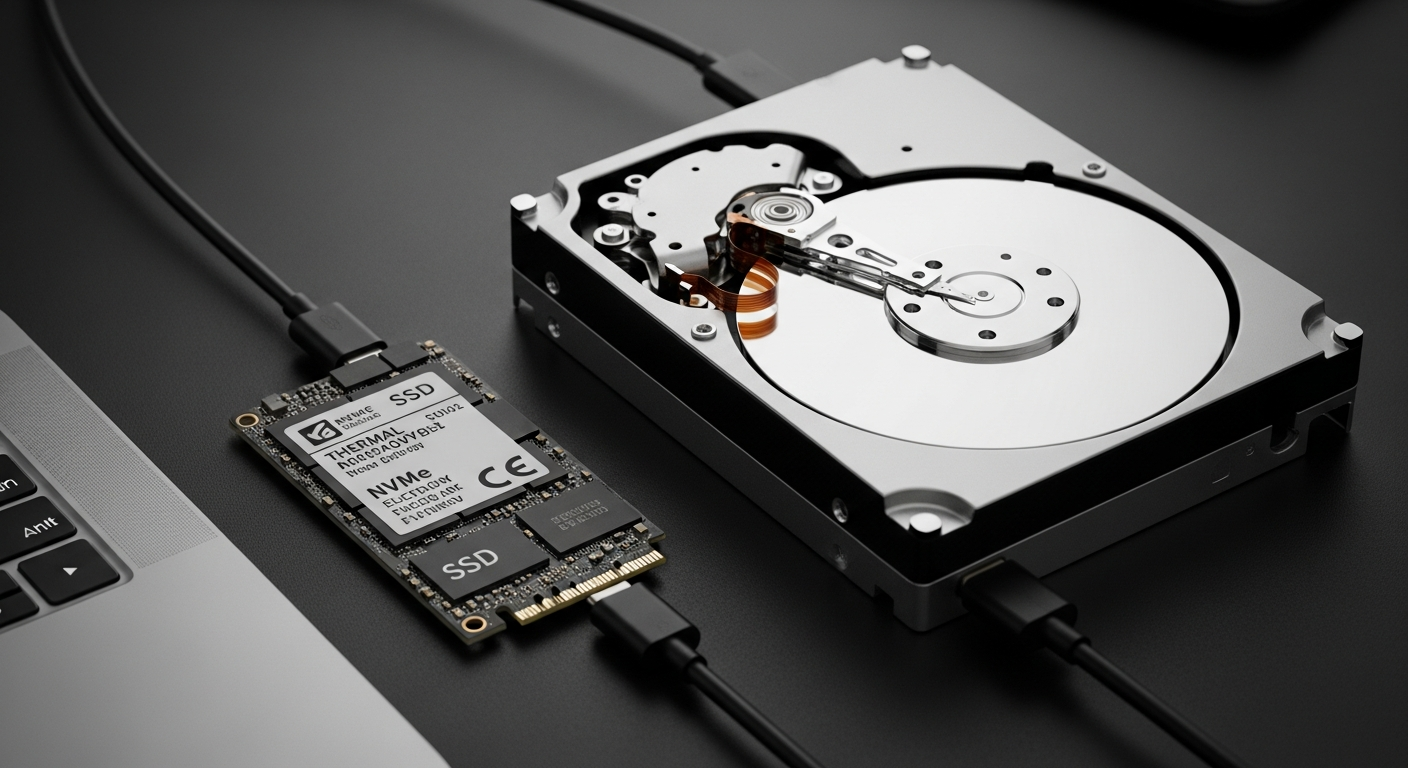
Think of your computer's storage like a filing cabinet. An HDD (Hard Disk Drive) is like an old record player with spinning disks and a needle that reads information. It's mechanical, meaning it has moving parts.
An SSD (Solid State Drive) is like a giant, super-fast USB stick. It uses flash memory, similar to what's in your phone or digital camera, with no moving parts at all. This fundamental difference affects everything from speed to durability.
2. Is SSD really faster?
Yes, absolutely. SSDs are dramatically faster than HDDs. Your computer will start up in seconds, programs will open almost instantly, and files will load much quicker.
Imagine an HDD as a bicycle and an SSD as a sports car. Both get you there, but the SSD is in a different league for speed and responsiveness. This difference is noticeable in everyday use.
3. How much does SSD vs HDD cost?
In 2026, SSDs are much more affordable than they used to be, but HDDs still offer a lower cost per gigabyte. This means for the same amount of storage space, an HDD will be cheaper.
For example, a 1TB (terabyte) SSD might cost around $70-100, while a 1TB HDD could be $40-60. If you need many terabytes of storage, HDDs are significantly more budget-friendly.
Quick Comparison
4. Which lasts longer — SSD or HDD?
Both types of drives can last many years. HDDs are mechanical, so their moving parts can eventually wear out or fail if dropped. SSDs don't have moving parts, making them more resistant to physical shock.
SSDs have a limited number of times data can be written to them, but for typical home use, this limit is so high that the drive will likely become obsolete before it wears out.
5. Can I replace my HDD with an SSD?
Yes, in most desktop computers and many laptops, you can replace an old HDD with a new SSD. This is one of the best upgrades you can do to make an older computer feel brand new.
You'll need to transfer your operating system and files from the old drive to the new SSD, which often requires some technical steps or professional help.
6. Do I need SSD for gaming?
For gaming, an SSD is highly recommended. Games will load much faster, reducing frustrating waiting times between levels or during game startup. This significantly improves your overall gaming experience.
While an SSD won't directly make your game run smoother (that's your graphics card's job), it makes everything else feel snappier and more responsive.
7. Is HDD still worth buying in 2026?
Yes, HDDs are still worth buying for specific situations in 2026. They are excellent for storing very large amounts of data where speed isn't the top priority, like backup files, huge video libraries, or photo archives.
However, an HDD is generally not recommended as the primary drive for your computer, as it will make your system feel slow compared to an SSD.
Which Drive is Right for You?
8. What size SSD do I need?
For most everyday computer users, a 256GB (gigabyte) SSD is the minimum acceptable size. This provides enough space for your operating system and essential programs.
A 512GB SSD is ideal for more programs and files, offering a good balance of space and cost. If you're a gamer or work with large files (like videos), 1TB (terabyte) or more is recommended.
9. What about hybrid drives (SSHD)?
SSHDs (Solid State Hybrid Drives) try to offer the best of both worlds. They combine a small, fast SSD part with a larger, slower HDD part on a single drive.
The idea is that frequently used files are stored on the SSD portion for speed, while less used files go to the HDD. They offer a slight speed boost over pure HDDs but aren't as fast as a dedicated SSD. They are less common now as pure SSDs have become more affordable.
10. SSD or HDD for backup storage?
For backup storage, an HDD is often the more practical and economical choice, especially if you need to back up many terabytes of data. They offer a much lower cost per gigabyte.
However, if you're backing up smaller, critical files that you need to access very quickly, or if the backup drive needs to be portable and durable, a smaller SSD could be a good option.