
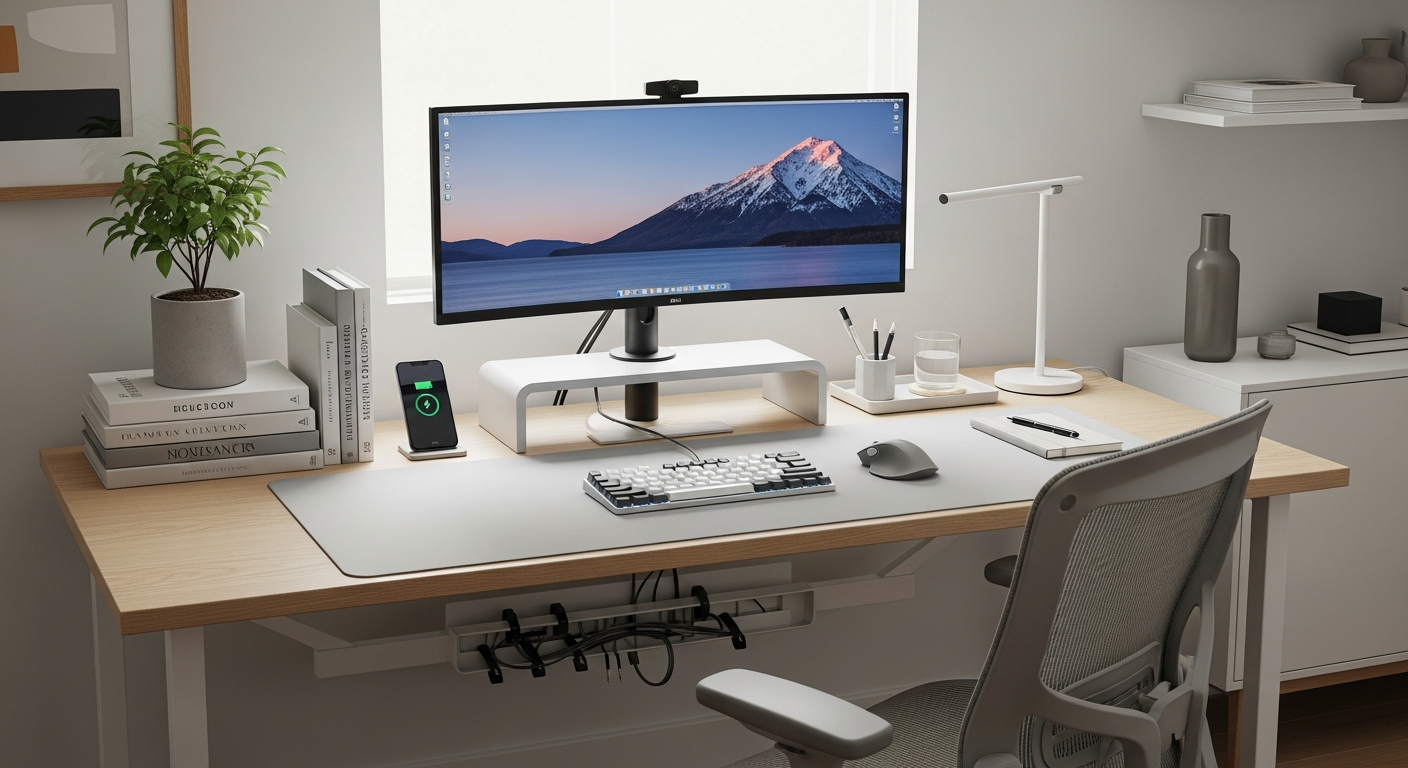
Working from home can be great, but it's important to set up your space so you stay comfortable and healthy. This guide will help you understand how to make your home office work for you, not against you.
1. What is ergonomics and why is it important for a home office?
Ergonomics is simply designing your workspace to fit you, rather than you fitting your workspace. It's about making things comfortable and efficient. In a home office, good ergonomics prevents aches, pains, and long-term health issues like back problems or wrist strain.
By setting up your space ergonomically, you can work more comfortably, focus better, and be more productive. It helps protect your body from the stresses of sitting for long periods, keeping you healthier and happier.
2. How should I position my monitor to prevent neck strain?
Your monitor should be directly in front of you, about an arm's length away. The top of your screen should be at or slightly below eye level. This helps you look straight ahead without tilting your head up or down.
If you use two monitors, place your main monitor directly in front and the second one next to it. If you use both equally, position them so the middle point between them is directly in front of you. This reduces twisting your neck.
3. What's the correct way to sit at my desk?
Sit with your feet flat on the floor or a footrest, with your knees at about a 90-degree angle. Your back should be supported by your chair, ideally with a slight curve in your lower back. Keep your shoulders relaxed and your elbows close to your body, bent at about a 90-degree angle when typing.
Avoid slouching or leaning forward. Your wrists should be straight, not bent up or down. Regularly check your posture throughout the day and make small adjustments.
4. How do I choose an ergonomic chair?
An ergonomic chair should have adjustable features to fit your body. Look for one with adjustable seat height, backrest height and angle, and armrests. Lumbar support, which supports the natural curve of your lower back, is also crucial.
Test the chair to ensure your feet can be flat on the floor when seated, and your arms can rest comfortably on the armrests without shrugging your shoulders. A good chair helps maintain proper posture and reduces pressure points.
5. What are the benefits of an ergonomic keyboard and mouse?
Ergonomic keyboards and mice are designed to keep your hands and wrists in a more natural, relaxed position. This can prevent strain injuries like carpal tunnel syndrome. Ergonomic keyboards often have a split design or a slight curve.
Ergonomic mice come in various shapes, like vertical mice, that reduce wrist twisting. Using these tools can make a big difference if you type or click a lot, improving comfort and preventing pain over time.
6. How high should my desk be?
Your desk height should allow your elbows to be at a 90-degree angle when your hands are on your keyboard, with your shoulders relaxed. This means your forearms should be roughly parallel to the floor. If your desk isn't adjustable, you might need to adjust your chair height and use a footrest.
The ideal height depends on your body and chair. The goal is to keep your wrists straight and your shoulders relaxed, preventing strain in your arms, wrists, and shoulders.
7. What are simple exercises I can do at my desk?
Taking short breaks to stretch throughout the day is very important. Try neck rolls, shoulder shrugs, and wrist circles. You can also do gentle back stretches by leaning back in your chair or standing up and reaching for the sky.
Even simple movements like standing up, walking to get water, or just stretching your arms can help. Aim for a 5-minute break every hour to keep your blood flowing and prevent stiffness.
Sitting Too Long
- Stiff neck & shoulders
- Back pain
- Poor circulation
- Reduced focus
Movement & Breaks
- Improved posture
- Less muscle strain
- Better blood flow
- Increased energy
8. How can I set up proper lighting to reduce eye strain?
Good lighting is key to preventing eye strain. Avoid direct glare from windows or bright overhead lights on your screen. Position your monitor so it's not directly facing a window, and try to have natural light come from the side.
Use soft, diffused lighting that is bright enough to see your documents without causing reflections on your screen. An adjustable desk lamp can help illuminate your immediate workspace without creating glare. Remember the 20-20-20 rule: every 20 minutes, look at something 20 feet away for 20 seconds.
9. Should I consider a standing desk, and what are its benefits?
A standing desk allows you to switch between sitting and standing throughout the day. This can reduce the negative effects of prolonged sitting, such as back pain and poor circulation. It can also boost energy levels and focus.
If you use a standing desk, make sure your monitor, keyboard, and mouse are still at ergonomic heights for both sitting and standing. Start by standing for short periods and gradually increase the time as your body adjusts.
10. How do I organize my workspace to minimize reaching?
Keep frequently used items, like your phone, notepad, or a pen, within easy reach. This means placing them close to you so you don't have to stretch or twist your body repeatedly. Store less-used items further away.
A tidy desk also helps. Clutter can make you reach around objects, leading to awkward postures. Organize cables to prevent tripping hazards and keep your primary work area clear and functional.