
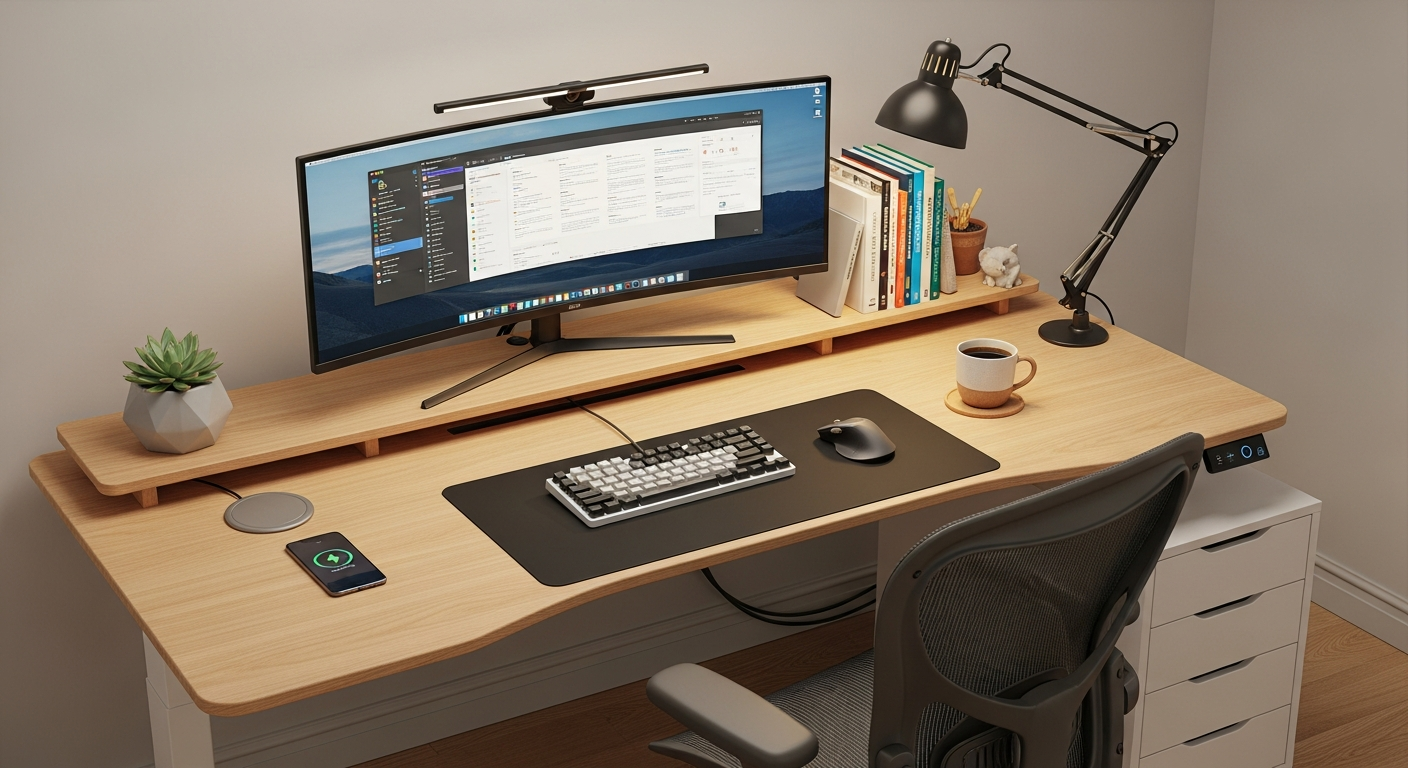
Setting up a home office can be tricky, but making it comfortable is key for your health and productivity. This guide will help you understand how to arrange your workspace to prevent aches and pains.
1. What is ergonomics and why is it important?
Ergonomics is the science of designing your workspace to fit you, rather than you fitting your workspace. It's about making your environment comfortable and efficient.
This is important because a poorly set up office can lead to muscle pain, eye strain, and even long-term health issues. A good ergonomic setup helps you work better and feel healthier.
2. How should I position my computer monitor?
Your monitor should be directly in front of you, about an arm's length away. The top of the screen should be at or slightly below eye level. This helps prevent neck strain.
If you use two monitors, place your main monitor directly in front and the second one next to it, angled slightly towards you. Make sure your eyes don't have to move too much up or down.
3. What's the best height for my desk?
Your desk should be at a height where your arms can rest comfortably at a 90-degree angle when you're typing. Your shoulders should be relaxed, not hunched up.
If your chair has adjustable height, adjust it first, then adjust your desk. If your desk isn't adjustable, you might need a keyboard tray or a footrest to achieve the right height.
Monitor Too High
- Neck tilted back
- Shoulders hunched
- Eye strain
Monitor Just Right
- Neck straight
- Shoulders relaxed
- Eyes comfortable
4. How do I choose an ergonomic chair?
An ergonomic chair supports your natural body posture. Look for one with adjustable height, armrests, and back support. Lumbar support, which cradles your lower back, is very important.
The chair should allow your feet to be flat on the floor or a footrest, with your knees at about a 90-degree angle. Adjustable armrests help support your arms while typing, reducing shoulder strain.
5. What is the correct posture for sitting at a desk?
Sit with your back against the chair's backrest, ensuring your lower back is supported. Keep your feet flat on the floor or a footrest. Your knees should be at about a 90-degree angle.
Your shoulders should be relaxed, and your elbows close to your body, bent at 90 degrees. Keep your head straight, looking forward at your monitor. Avoid slouching or leaning forward.
6. Are standing desks beneficial?
Yes, standing desks can be very beneficial. They allow you to switch between sitting and standing throughout the day, which can reduce the risks associated with prolonged sitting.
Standing can improve circulation, reduce back pain, and boost energy. If you use one, make sure your monitor and keyboard are still at ergonomic heights when standing. Don't stand for too long without breaks.
7. How can I prevent wrist pain?
To prevent wrist pain, keep your wrists straight and relaxed while typing or using a mouse. Avoid bending them up, down, or to the sides. A wrist rest can help maintain a neutral position, but don't rest your wrists on it while actively typing.
Ensure your keyboard and mouse are close enough so you don't have to reach. Take short breaks to stretch your wrists and hands regularly.
Preventing Wrist Pain Flow
1. Keep Wrists Straight
Avoid bending up/down/sideways2. Use Wrist Rest (Carefully)
Only for breaks, not typing3. Position Keyboard/Mouse Close
No reaching4. Take Regular Stretch Breaks
Relieve tension8. What about keyboard and mouse placement?
Place your keyboard directly in front of you, centered with your monitor. It should be close enough so your elbows are at your sides and bent at about 90 degrees. Your mouse should be right next to the keyboard, easy to reach.
Consider using a compact keyboard without a number pad if you don't use it often. This allows your mouse to be closer to your body, reducing reaching and shoulder strain.
9. How often should I take breaks to stretch?
It's important to take short breaks every 30-60 minutes. Even a 1-2 minute break to stand up, walk around, and stretch can make a big difference. This helps prevent stiffness and fatigue.
Longer breaks, like 15 minutes every 2-3 hours, are also crucial. Use this time to step away from your screen, hydrate, and do some light stretches for your neck, shoulders, back, and wrists.
10. What kind of lighting is best for my workspace?
Good lighting is essential to prevent eye strain. Aim for natural light whenever possible, positioning your desk near a window but avoiding direct glare on your screen.
If natural light isn't enough, use soft, diffused artificial lighting. Avoid harsh overhead lights that create glare. A desk lamp can provide task lighting, but make sure it doesn't shine directly into your eyes or onto your monitor.