
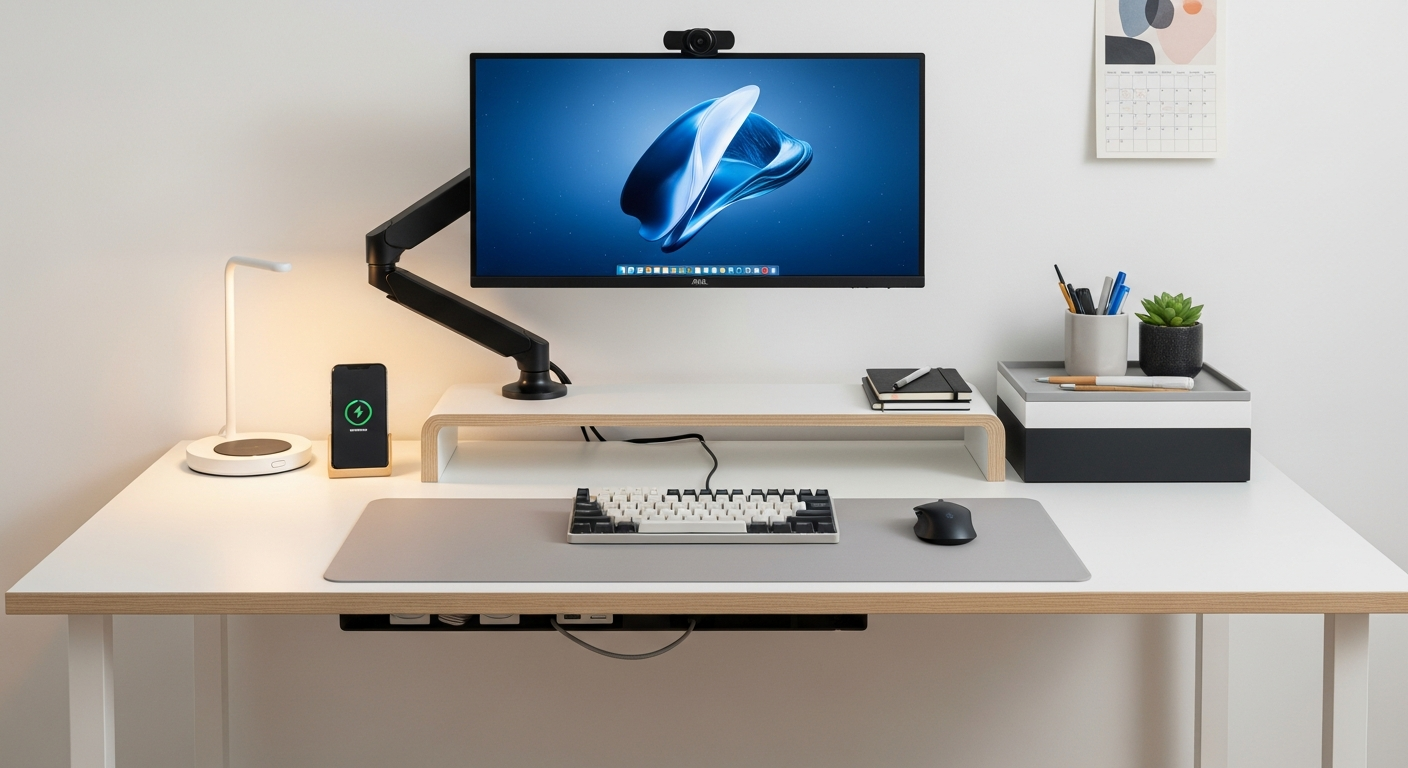
Setting up your home office for comfort and health is easier than you think. An ergonomic setup helps prevent aches and pains, making your workday much more enjoyable and productive.
1. What is ergonomics and why is it important?
Ergonomics is about designing your workspace to fit you, rather than you fitting the workspace. It's about making things comfortable, efficient, and safe. Think of it as tailoring your office to your body.
It's important because a poorly set up office can lead to back pain, neck strain, headaches, and even more serious issues over time. A good ergonomic setup helps you stay healthy, focused, and productive throughout your workday.
2. How should I position my monitor?
Your monitor should be directly in front of you, about an arm's length away. The top of your screen should be at or slightly below eye level. This helps keep your neck straight and prevents you from craning it up or down.
If you use two monitors, place your main monitor directly in front and the secondary one beside it. If you use both equally, center them so the space between them is in front of you.
3. What's the correct way to sit at my desk?
Sit with your feet flat on the floor or a footrest. Your knees should be at about a 90-degree angle, slightly higher than your hips. Your back should be supported by your chair, maintaining its natural curve.
Keep your shoulders relaxed, not hunched. Your elbows should be close to your body, bent at about a 90-degree angle, so your forearms are parallel to the floor when typing. This posture reduces strain on your back, neck, and shoulders.
Good Posture
- Feet flat on floor
- Knees at 90°
- Back supported
- Elbows at 90°
- Shoulders relaxed
- Monitor at eye level
Bad Posture
- Feet dangling
- Knees too low/high
- Back hunched/slumped
- Wrists bent
- Shoulders hunched
- Monitor too high/low
4. How do I choose an ergonomic chair?
An ergonomic chair is highly adjustable. Look for one with good lumbar support (lower back support) that matches the curve of your spine. The seat height should adjust so your feet are flat on the floor.
Armrests should adjust up and down, allowing your arms to rest comfortably without shrugging your shoulders. The seat pan should be deep enough to support your thighs but leave a few inches between the edge and the back of your knees.
5. Should I use an ergonomic keyboard and mouse?
Yes, ergonomic keyboards and mice can significantly reduce strain on your wrists and hands. An ergonomic keyboard often has a split design or a slight angle to keep your wrists in a more natural position.
Ergonomic mice come in various shapes, like vertical mice, that keep your hand in a "handshake" position, reducing twisting in your forearm. Try different types to find what feels most comfortable for you.
6. What about standing desks?
Standing desks, also known as sit-stand desks, allow you to switch between sitting and standing throughout the day. This is great for promoting movement and reducing the negative effects of prolonged sitting. It can improve circulation and reduce back pain.
When standing, ensure your monitor is still at eye level and your elbows are at a 90-degree angle. Don't stand for too long; alternate between sitting and standing every 30-60 minutes. Use an anti-fatigue mat for extra comfort when standing.
7. How often should I take stretch breaks?
It's crucial to take short breaks frequently. Aim for a 5-10 minute break every hour. During this time, stand up, walk around, and do some light stretches. This helps prevent stiffness, improves blood flow, and gives your eyes a rest.
Simple stretches like neck rolls, shoulder shrugs, arm circles, and gentle back stretches can make a big difference. Even a quick walk to grab water can refresh your body and mind.
Your Ergonomic Break Flow
8. How can I reduce eye strain?
Follow the 20-20-20 rule: Every 20 minutes, look at something 20 feet away for at least 20 seconds. This helps your eye muscles relax. Also, remember to blink often to keep your eyes moist.
Adjust your monitor's brightness to match your room's lighting. Use anti-glare screens if needed. Consider using blue light filters, either on your screen or as glasses, especially in the evening, to reduce eye fatigue.
9. What's the best lighting for an ergonomic setup?
Good lighting is crucial. Avoid working in a dimly lit room with a bright screen, as this creates harsh contrast and eye strain. Aim for soft, diffused lighting that is evenly distributed across your workspace.
Position your monitor to avoid glare from windows or overhead lights. Natural light is best, but if not available, use a desk lamp that provides adjustable, indirect light. Make sure your keyboard and documents are well-lit without creating reflections on your screen.
10. How do I adjust my desk height?
Your desk height should allow your elbows to be at a 90-degree angle when your shoulders are relaxed and your feet are flat on the floor. For most people, this means a desk height of about 28-30 inches when sitting.
If your desk isn't adjustable, you can use risers under your monitor to get it to eye level. If your chair is too low for your desk, use a footrest to ensure your feet are supported and your knees are at the correct angle.