
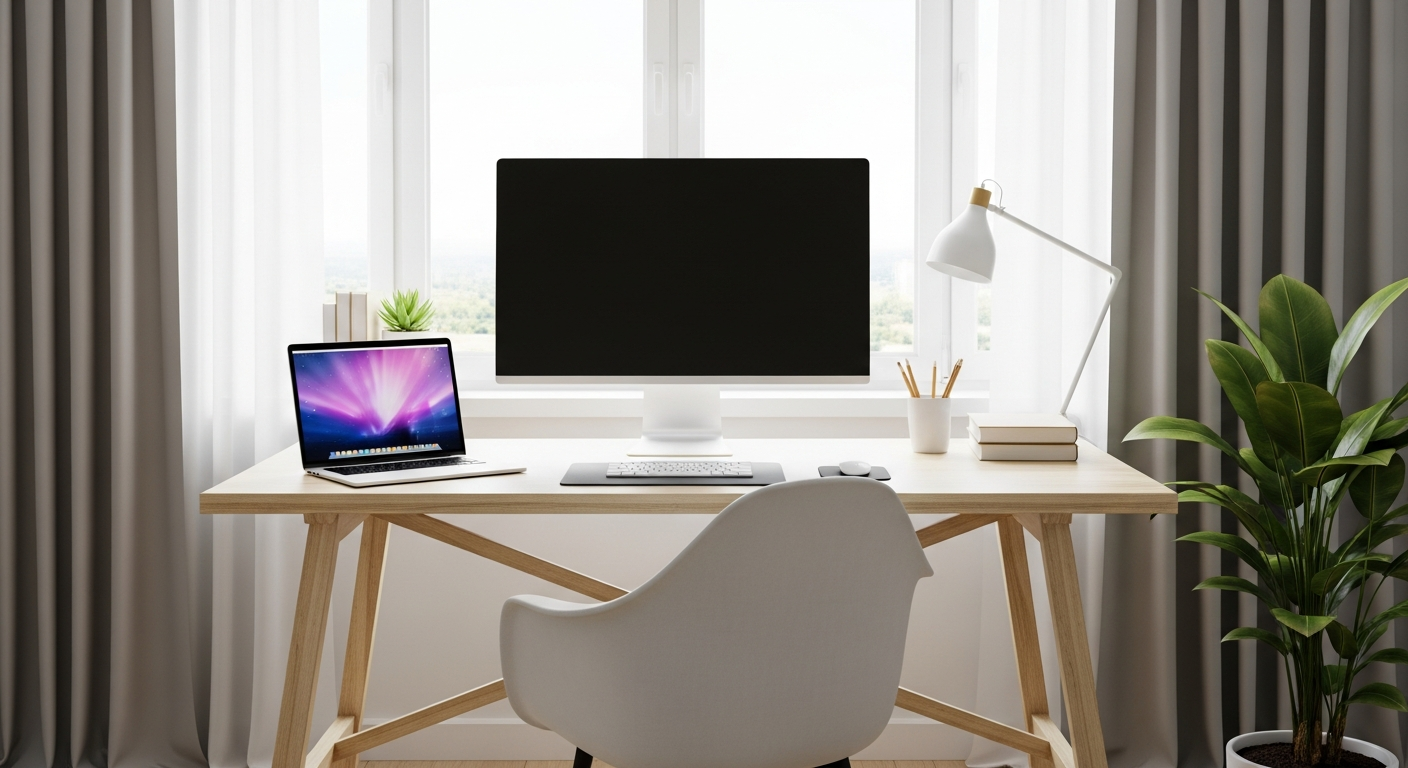
Buying your first computer can feel overwhelming with all the technical terms. This guide will help you understand the basics so you can choose the perfect laptop or desktop for your needs without any tech jargon.
1. What's the difference between a laptop and a desktop?
A laptop is a portable computer, meaning it's all in one piece and you can carry it around easily. It has a built-in screen, keyboard, and mousepad, and runs on a battery.
A desktop computer is meant to stay in one place. It usually has separate parts: a main box (the "tower"), a monitor (screen), a keyboard, and a mouse. Desktops often offer more power and are easier to upgrade.
2. How much RAM do I need?
RAM (Random Access Memory) is like your computer's short-term memory. It helps your computer run multiple programs smoothly at the same time. More RAM means your computer can juggle more tasks without slowing down.
For basic tasks like browsing the internet, email, and word processing, 8GB (gigabytes) of RAM is usually enough. If you plan to do more, like light photo editing or gaming, 16GB is a better choice for smooth performance.
3. What is a CPU and which one is best for me?
The CPU (Central Processing Unit) is the "brain" of your computer. It performs all the calculations and instructions, making everything work. Common brands are Intel (with Core i3, i5, i7, i9 series) and AMD (with Ryzen 3, 5, 7, 9 series).
For everyday tasks, an Intel Core i3 or AMD Ryzen 3/5 is perfectly fine. If you need more power for demanding programs, gaming, or video editing, look for an Intel Core i7/i9 or AMD Ryzen 7/9. The higher the number, the more powerful the CPU.
Laptop
- Portable & lightweight
- All-in-one design
- Battery powered
- Less powerful for the price
- Harder to upgrade
Desktop
- Stays in one place
- Separate monitor, keyboard, mouse
- Needs constant power
- More powerful for the price
- Easier to upgrade parts
4. Should I get an SSD or HDD for storage?
Storage is where your computer saves all your files, programs, and the operating system. An HDD (Hard Disk Drive) is older, slower, and uses spinning disks. An SSD (Solid State Drive) is newer, much faster, and has no moving parts.
Always choose an SSD if possible. It makes your computer start up and load programs incredibly fast. If you need a lot of storage for many large files, a smaller SSD for the operating system and a larger, cheaper HDD for extra files can be a good combo.
5. What screen size is ideal for a laptop?
Laptop screen sizes are measured diagonally in inches. Common sizes range from 13-inch to 17-inch. Smaller screens (13-14 inches) are great for portability and travel, making the laptop lighter and easier to carry.
Larger screens (15-17 inches) offer more space for viewing content, working with multiple windows, or gaming. However, they make the laptop heavier and less portable. Consider how often you'll move your laptop when deciding.
6. Do I need a dedicated graphics card?
A graphics card (also called a GPU) handles everything you see on your screen. Most basic computers have "integrated graphics," which means the graphics chip is built into the CPU and is fine for everyday tasks, streaming videos, and light photo editing.
A "dedicated graphics card" is a separate, more powerful component. You only need one if you plan on serious gaming, professional video editing, 3D design, or other graphically intense work. These add significant cost and power consumption.
7. What operating system should I choose (Windows, Mac, ChromeOS)?
The operating system (OS) is the main software that manages your computer. Windows is the most common, offering the widest range of software and hardware compatibility, making it versatile for most users.
Mac (macOS) computers are known for their user-friendly design, strong security, and integration with other Apple devices. They are often preferred by creative professionals. ChromeOS is very simple, fast, and secure, relying heavily on internet applications. It's great for basic tasks and students, but has limited offline capabilities.
Choosing Your Operating System
8. How important is battery life for a laptop?
Battery life is crucial for laptops, especially if you plan to use it on the go without constant access to a power outlet. A longer battery life means more freedom and less worry about finding a charger.
Look for laptops that advertise 8+ hours of battery life for a good balance of portability and usability. Keep in mind that advertised battery life is often based on light use; real-world usage can be shorter depending on your activities.
9. What ports should I look for?
Ports are where you connect other devices like a mouse, external hard drive, or monitor. USB-A ports are standard for many accessories. USB-C ports are newer, smaller, and faster, often used for charging and connecting modern devices.
An HDMI port is useful for connecting to TVs or external monitors. An SD card slot is handy for photographers. Make sure the computer has enough ports for your current and future accessories, or consider a USB hub.
10. Where is the best place to buy a computer?
You can buy computers from various places. Large electronics retailers (online and in-store) offer a wide selection and competitive prices. Manufacturer websites often have exclusive models and customization options.
Local computer stores can provide personalized advice and support, which can be invaluable for first-time buyers. Always compare prices, check return policies, and read reviews before making a purchase.